

What is Global-e?
Global-e is a cross-border e-commerce platform that manages international shipping, taxes, duties, and currency conversion. It enables merchants to sell and ship internationally while handling the complexity of localized pricing, compliance, and logistics.What Does the Integration Do?
The Redo and Global-e integration handles several aspects of international returns:- Return labels — Redo uses Global-e’s return labels (via DHL) so merchants can participate in duty drawback programs to recoup duties and fees. Global-e only offers this benefit when their return labels are used.
- Country-based return fees — Global-e charges different return fees based on the customer’s country, presented in the shopper’s local currency.
- Direct refunds — Since payments for Global-e orders are not housed in Shopify, Redo refunds directly through Global-e rather than through Shopify.
An order must have a status of Dispatched (equivalent to “fulfilled”) in
Global-e before it can be returned.
How to Set It Up
1
Navigate to Integrations
In the Redo merchant dashboard, go to Settings > Returns & Claims >
Integrations. Find the Global-e integration and click Connect.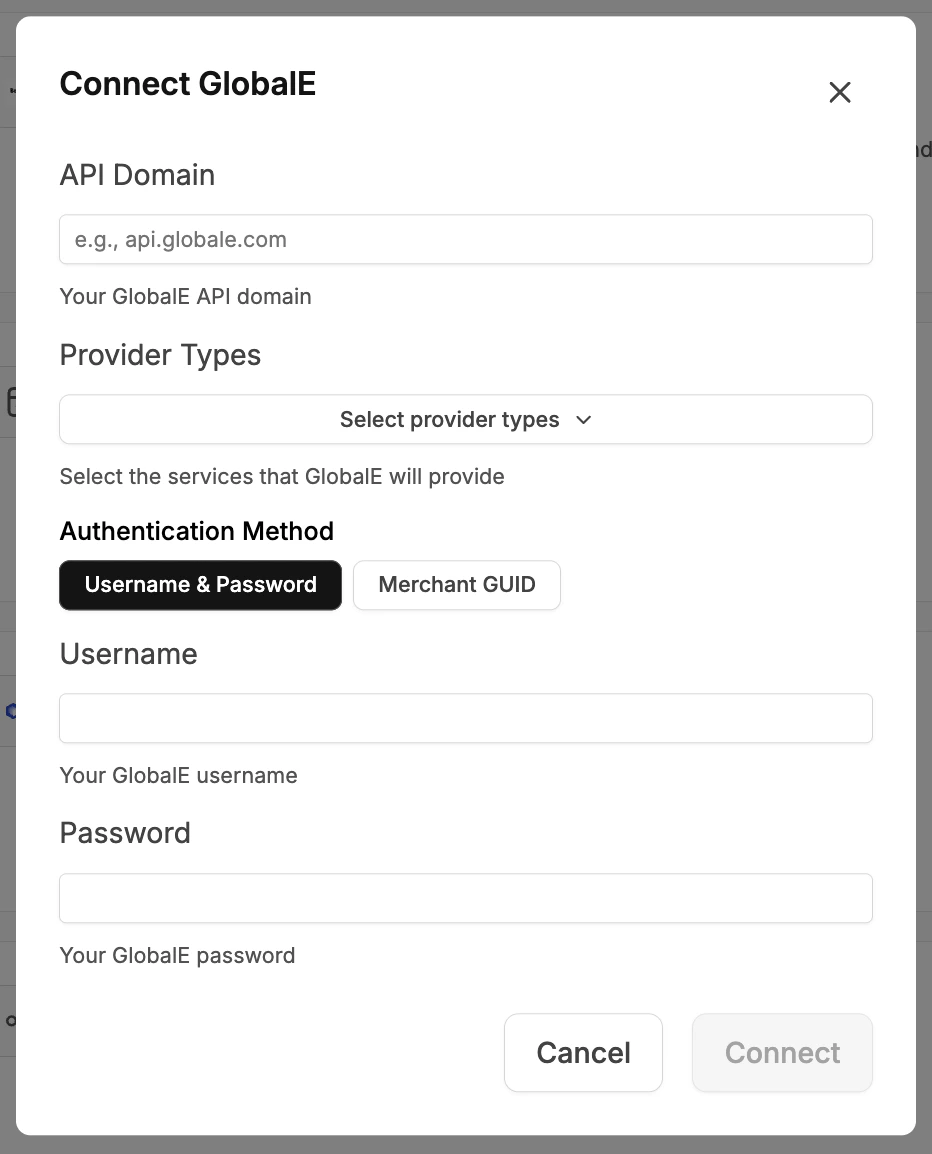
2
Enter API Domain
Enter your Global-e API Domain (e.g.,
https://api.global-e.com).3
Select Provider Types
Select the services that Global-e will provide for your store:
- Refund — Redo processes refunds directly through Global-e
- Shipping — Redo uses Global-e’s return labels
4
Choose Authentication Method and Log In
Select your authentication method — Username & Password or Merchant
GUID — and enter your Global-e credentials.Click Connect to complete the setup.